読み込み中...
Liquor tax books and returns for craft breweries in Japan
From daily records to your books and monthly tax return.
Record brewing, packaging and shipments, and Brew Master builds five ledgers from those records. At month end it exports your liquor tax return (酒税納税申告書) as a PDF, filled in on the National Tax Agency's new forms.
Brewery management is free for 6 months from the day you start (then ¥4,980 per brewery per month, excluding tax). No credit card required during the free period.
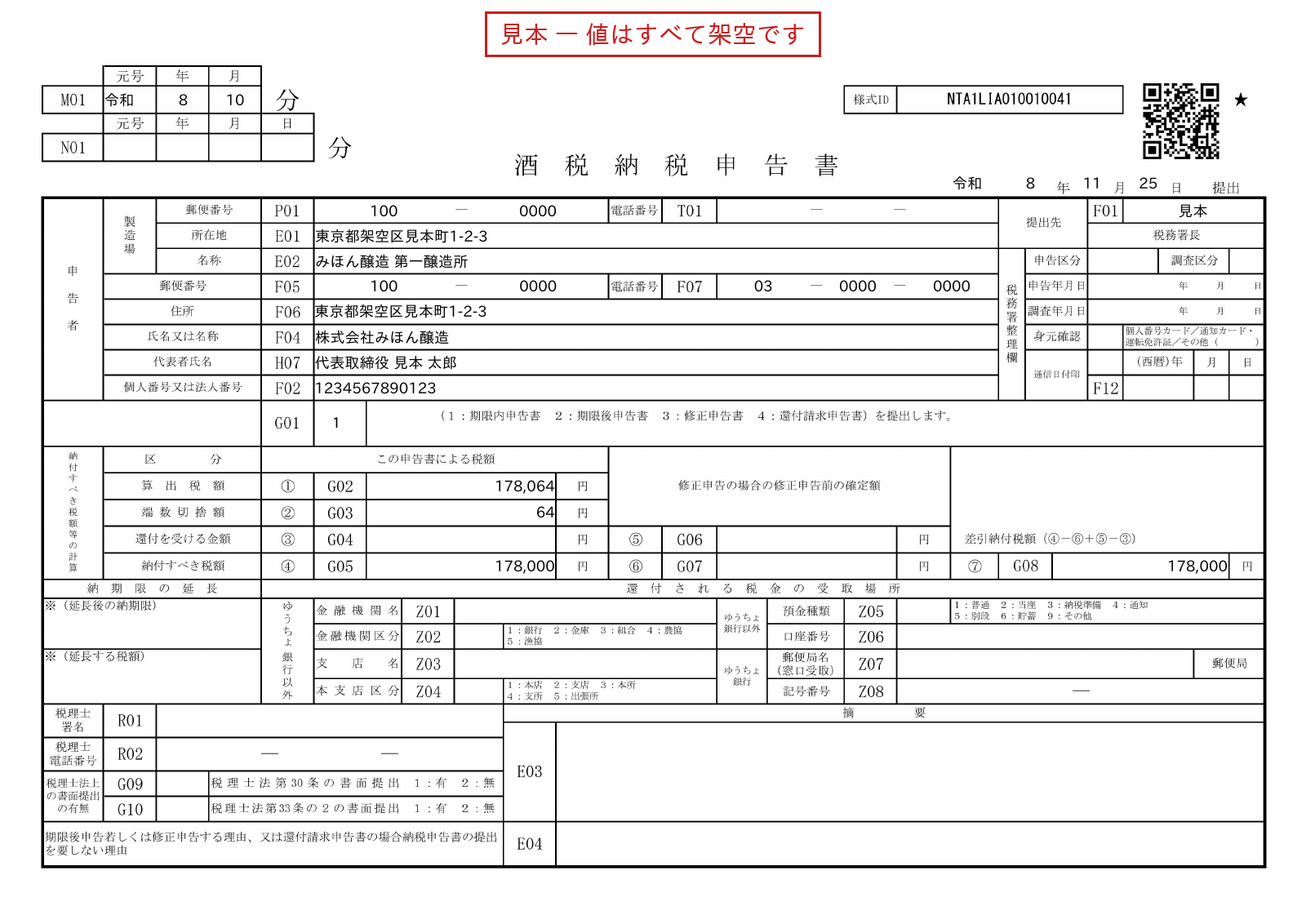
How a month of records becomes a tax return
Follow the fictitious brewery “Mihon Brewing” through October 2026 (Reiwa 8), from records to the return. The screenshots were taken in Brew Master with these records entered (the app’s screens are in Japanese; all values are fictitious). Every figure is the app’s own calculation. Tap or click a screenshot to open it full size.
1Record
Record each shipment on the day it ships
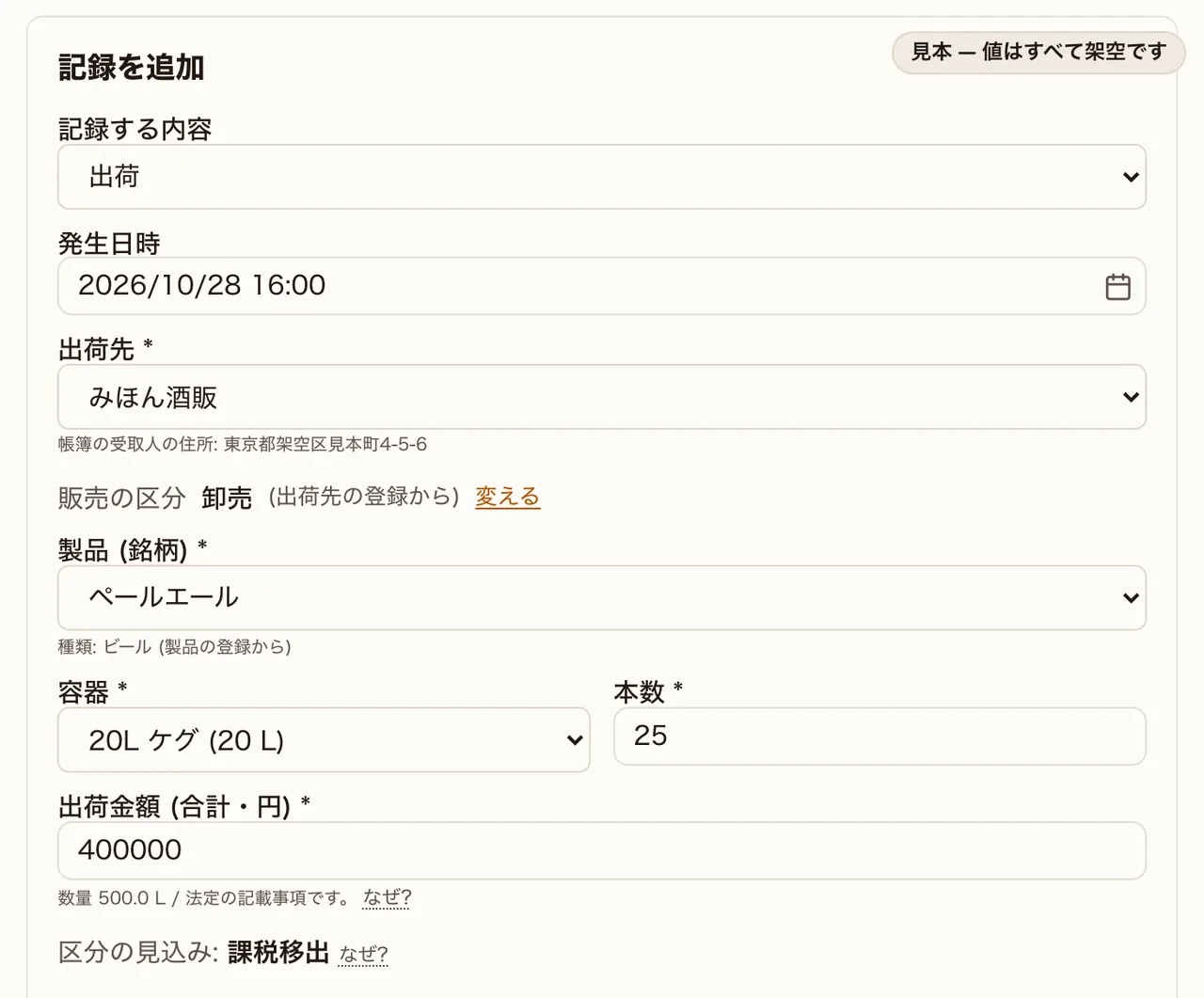
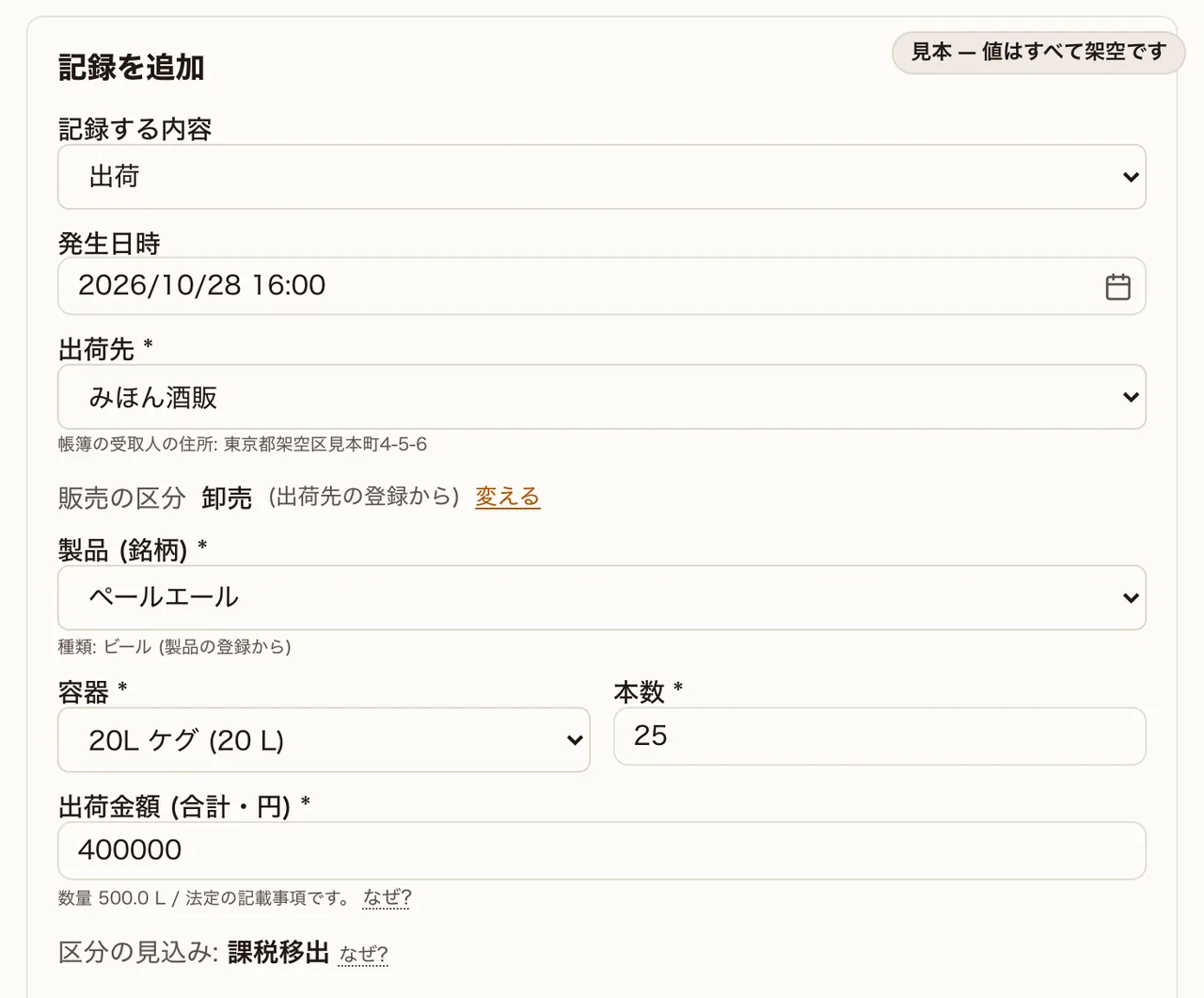
Pick the customer, product, container and count. Customers and products can be added right from the entry screen. Whether a shipment is taxable or tax-deferred is assigned from the type of customer.
 (opens the full-size image)
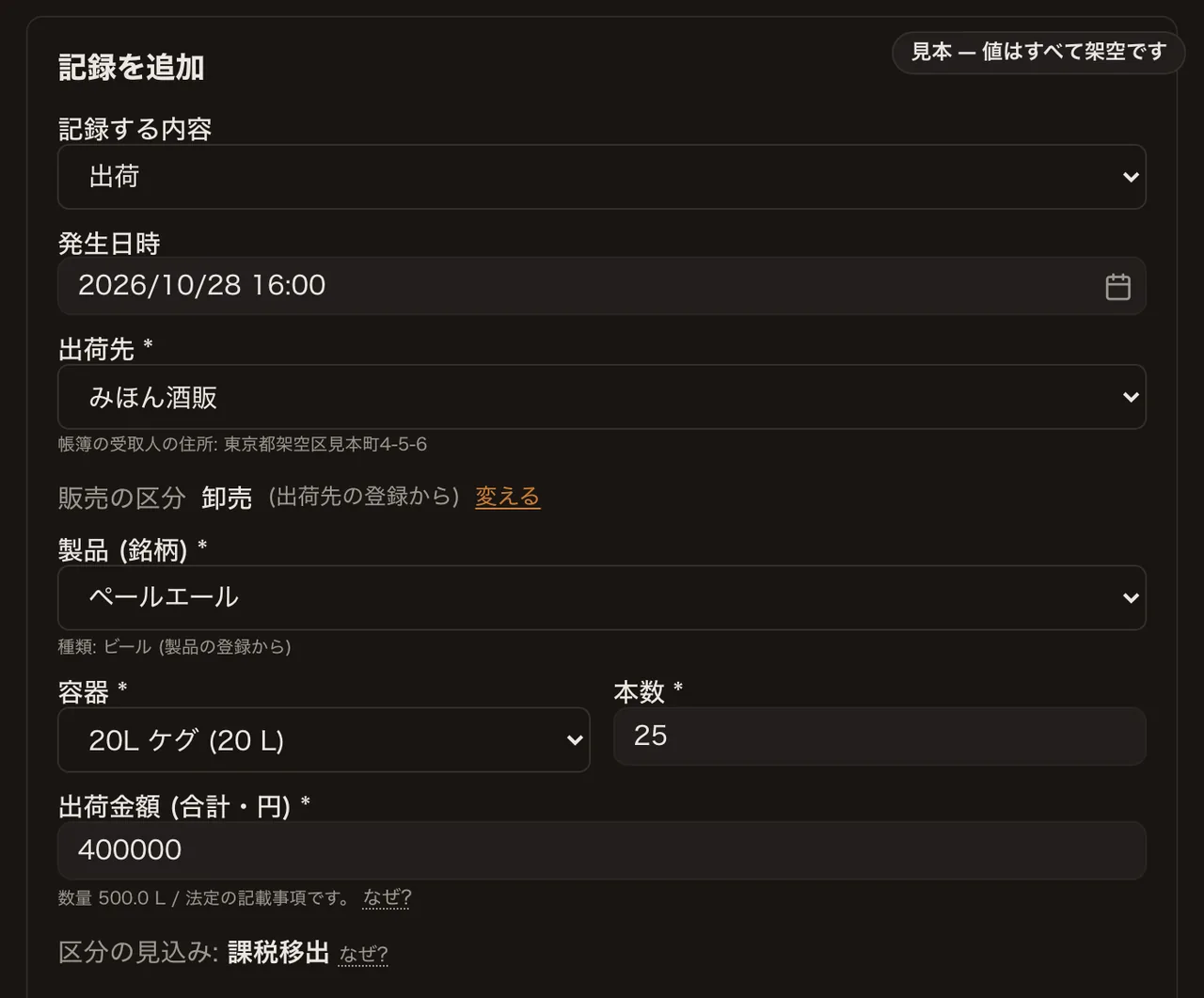
The entry form with the Oct 28 shipment filled in. The customer is a regular buyer, so the form shows the shipment will be counted as taxable. October shipments (customer: Mihon Liquor Store)
- Oct 3, 15:00Pale Ale, 20 L keg × 30600 L
- Oct 17, 11:00Pale Ale, 350 mL can × 960336 L
- Oct 28, 16:00Pale Ale, 20 L keg × 25500 L
2Ledgers
Five ledgers, built from your records
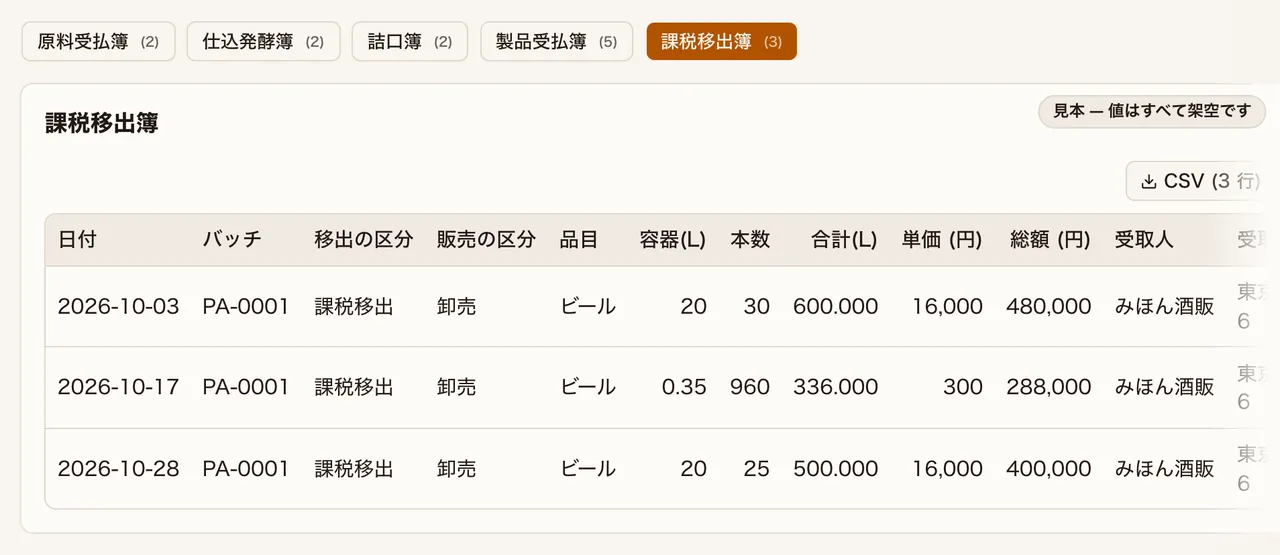
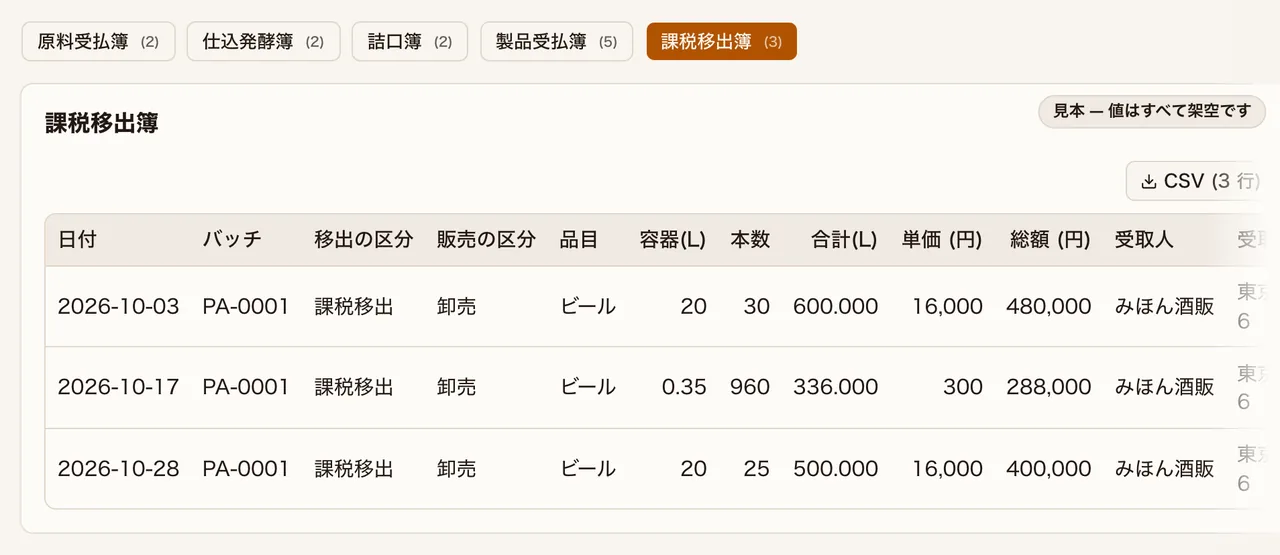
The raw materials, brewing and fermentation, packaging, product and taxable shipment ledgers are built from your records. Closing the month locks its figures. You can print them or export CSV.
 (opens the full-size image)
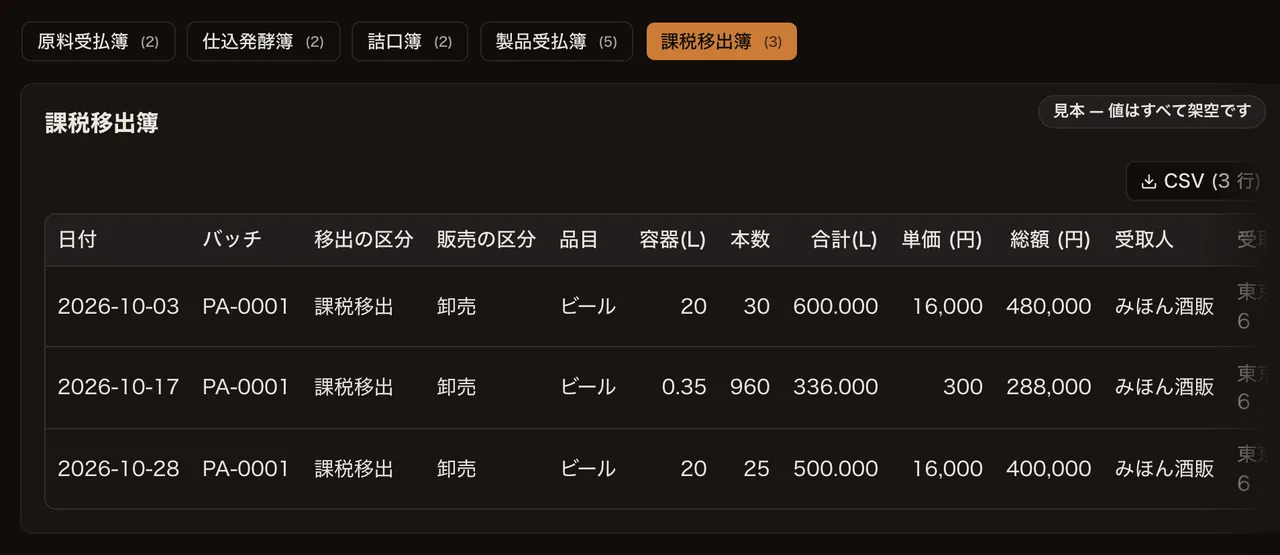
Taxable shipment ledger (October 2026). The three shipments become three rows; the month total is 1,436 L. 3File
Review, finalize and export the PDF
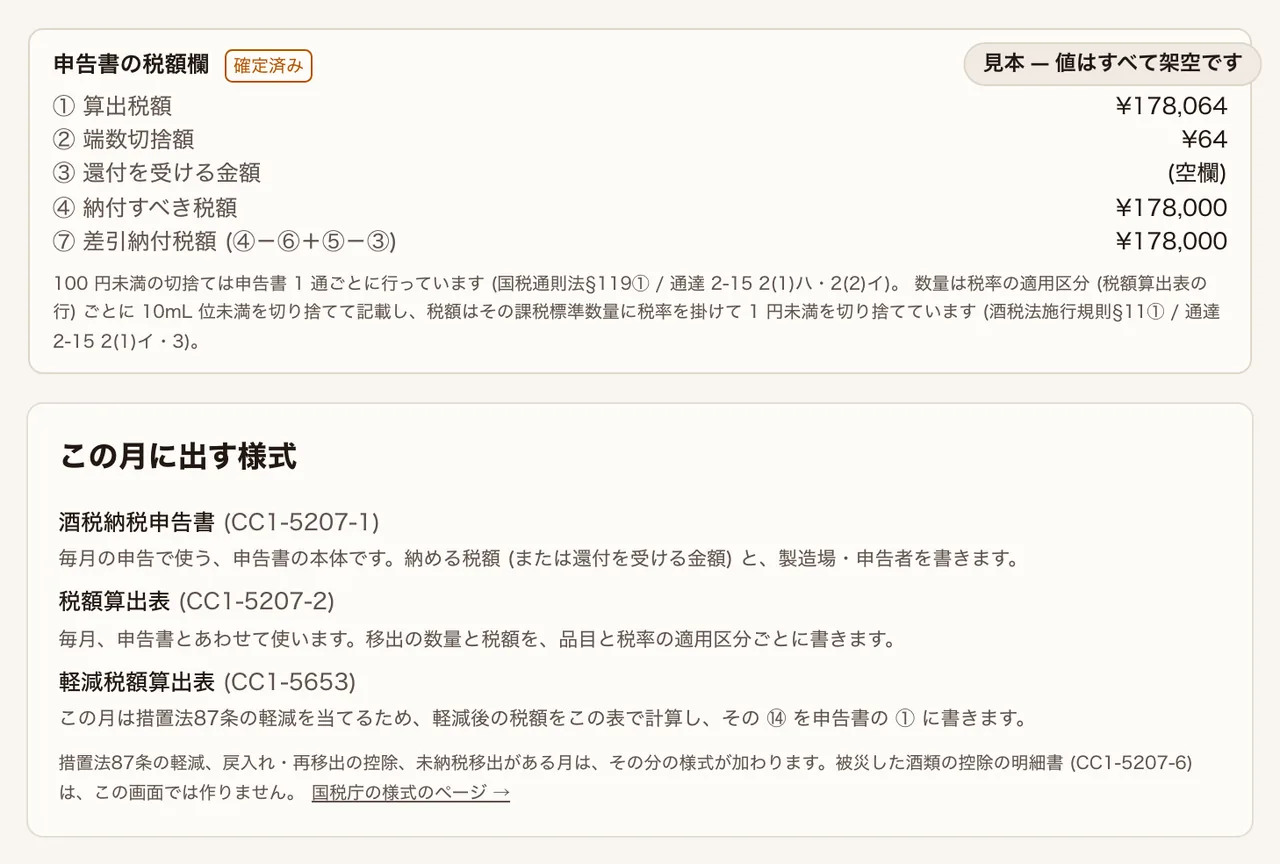
A draft return is prepared from the month's records. Review it on screen and finalize it to export the PDF for filing. PDFs exported before finalizing carry a “draft” watermark.
 (opens the full-size image)
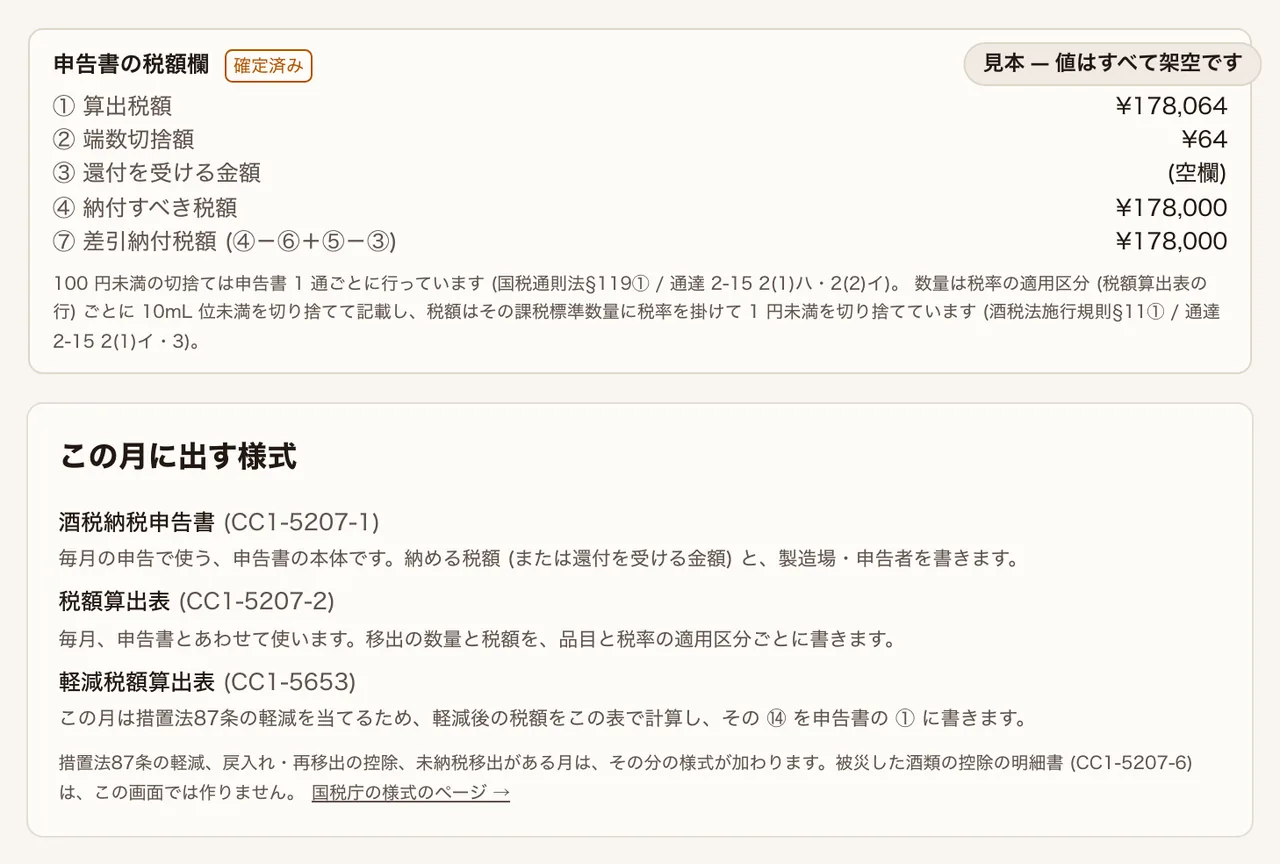
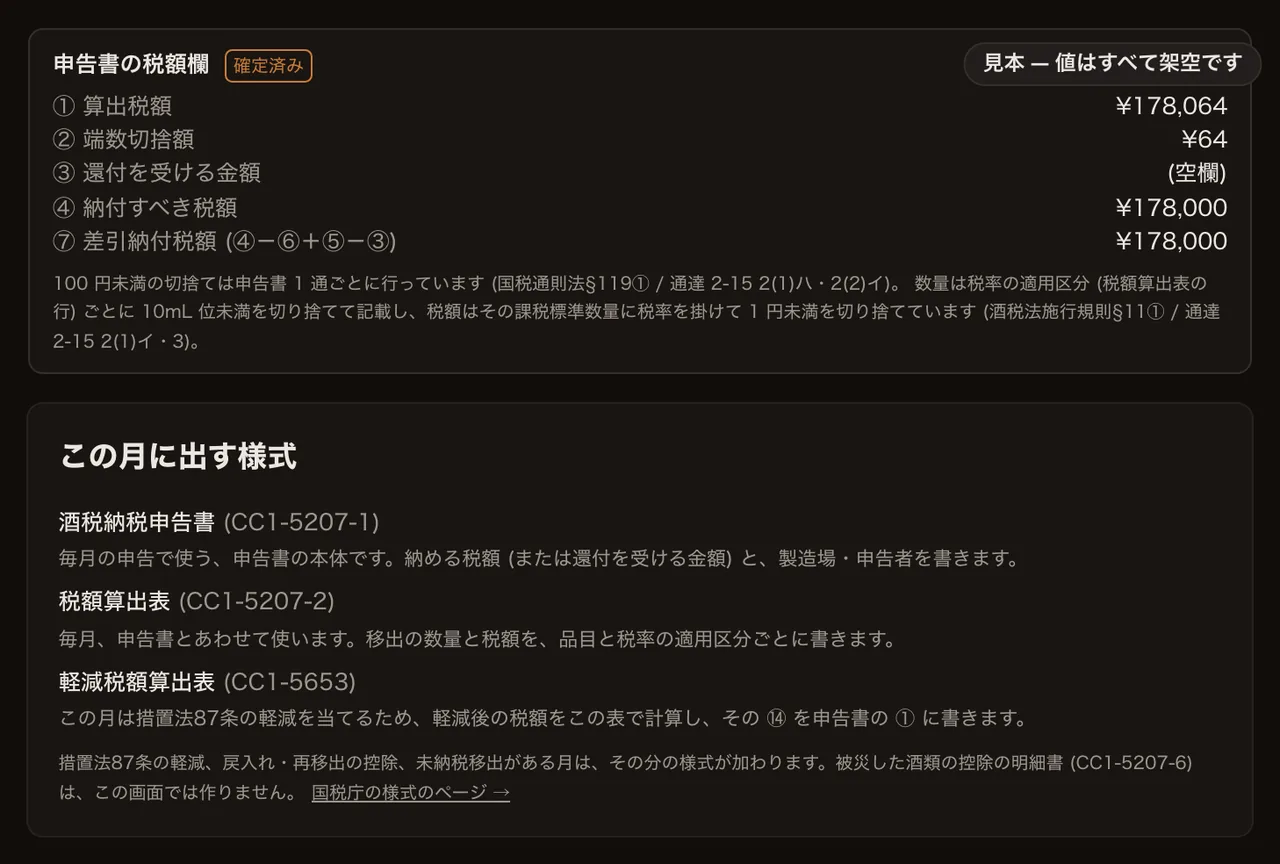
The return screen: the finalized tax fields and the forms to file this month. Tax for October 2026
- 1,436,000 mL × 155,000 yen/kL (standard tax)
- 222,580 yen
- After the Article 87 reduction (20%)
- 178,064 yen
- Tax payable, rounded down to the nearest 100 yen
- 178,000 yen
This example assumes the brewery uses the reduced-rate special measure (Act on Special Measures Concerning Taxation, Article 87).
All of the month's forms in one PDF
The app fills in the National Tax Agency's fillable PDFs of the new forms (used from September 2026) by field name. The form ID and QR code at the top right are the agency's own.
Liquor tax return (酒税納税申告書)
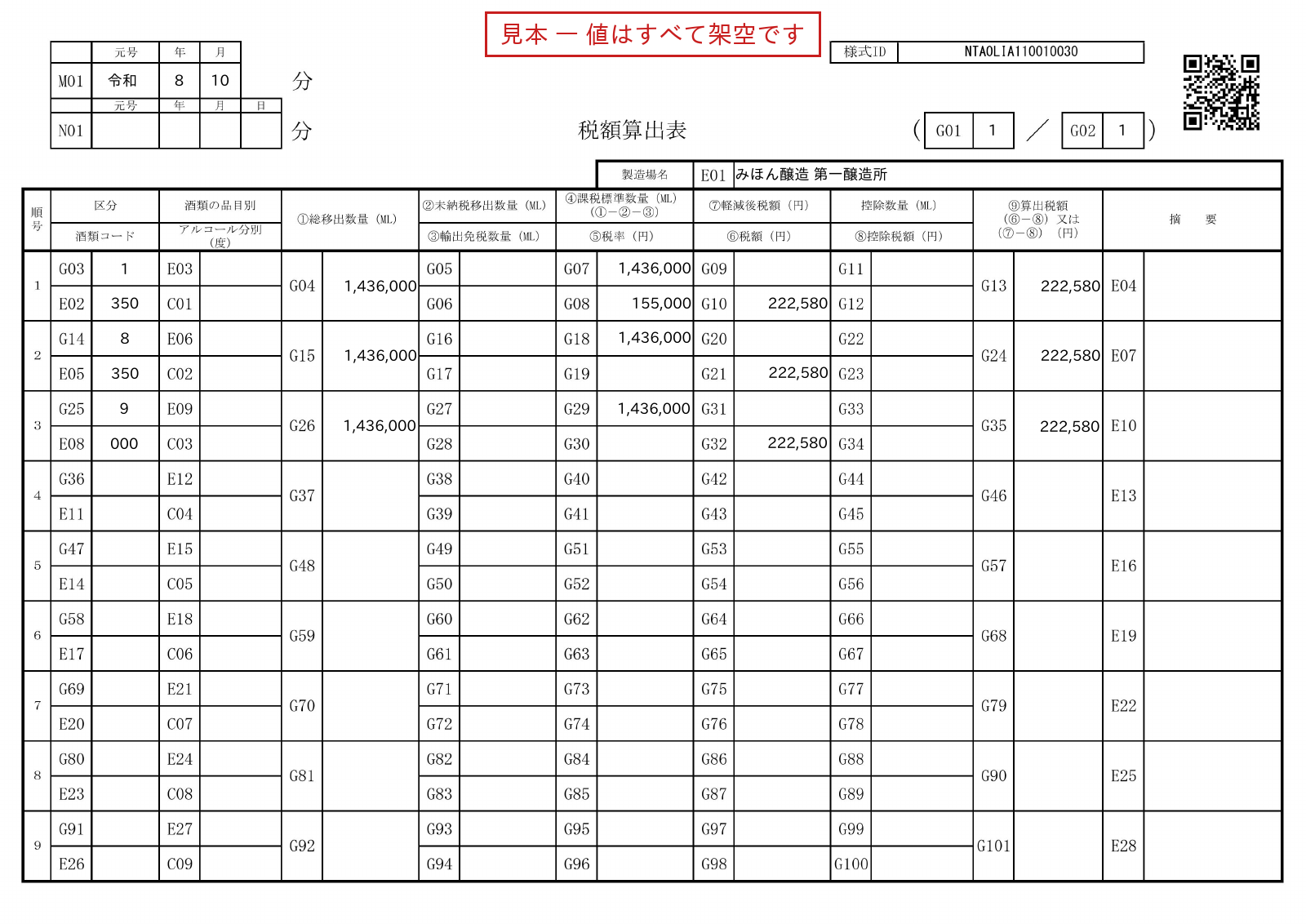
Tax computation sheet (税額算出表)
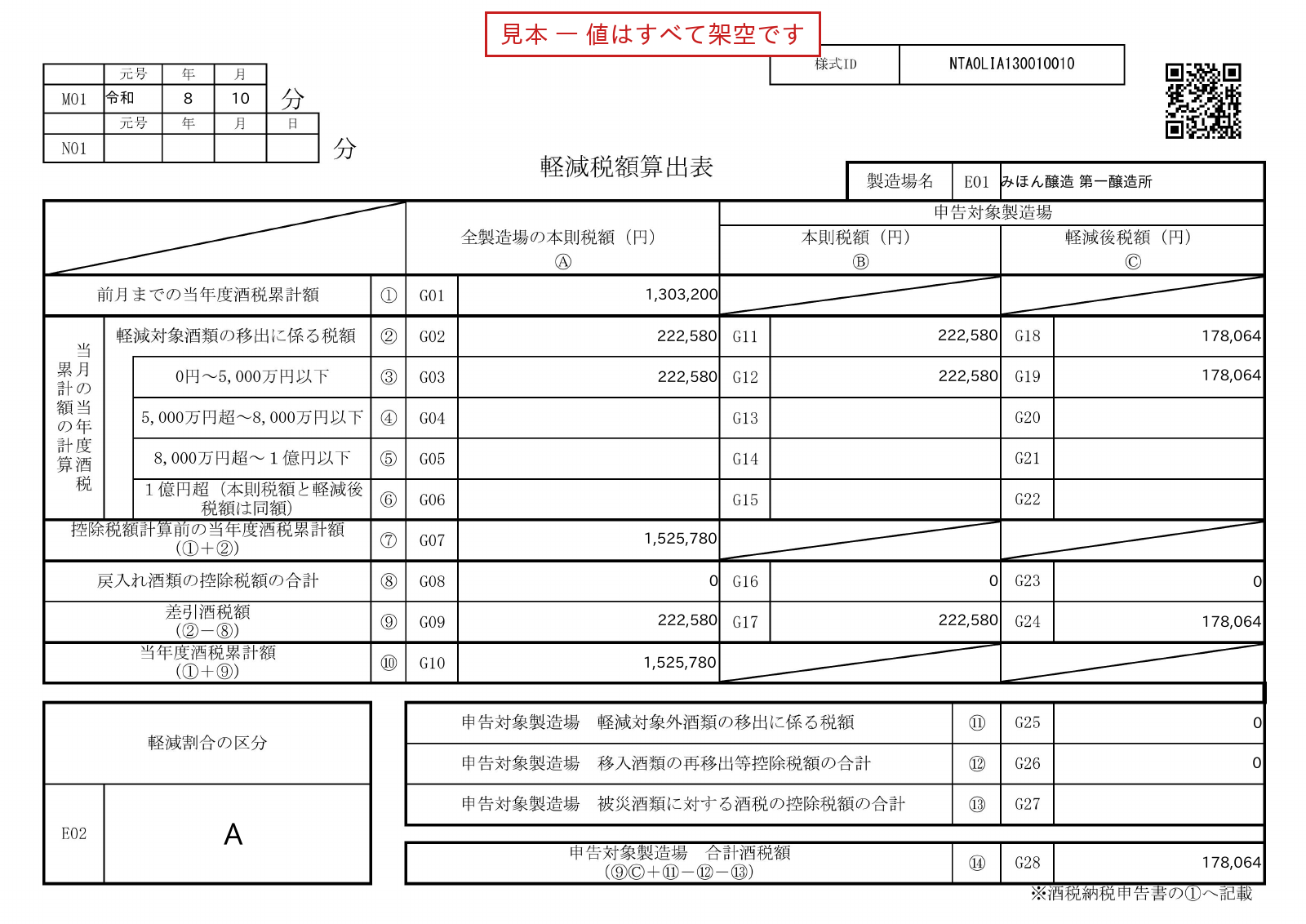
Reduced tax computation (軽減税額算出表)
The statements for returned goods, re-shipments of received goods and tax-deferred shipments are also filled in when the month's records call for them.
On your smartphone
Daily records, right on your smartphone
Shipments, raw material receipts, brewing, gravity readings and packaging can be recorded on a smartphone with the Record screen. Each screen asks one question, and you answer by tapping large buttons. Records entered this way are totaled into your books and returns just like records entered on the PC entry screens.
1Choose what you did
Pick from five: shipment, raw material receipt, brewing, gravity reading and packaging.
2Tap “Same as last time”
Selects the last customer, product and container in one tap.
3Key in the count
Use the large number keys or the buttons for counts you often use.
4Check and record
Shows the ledgers the record goes into and the expected tax category. The date and time default to now and can be changed.
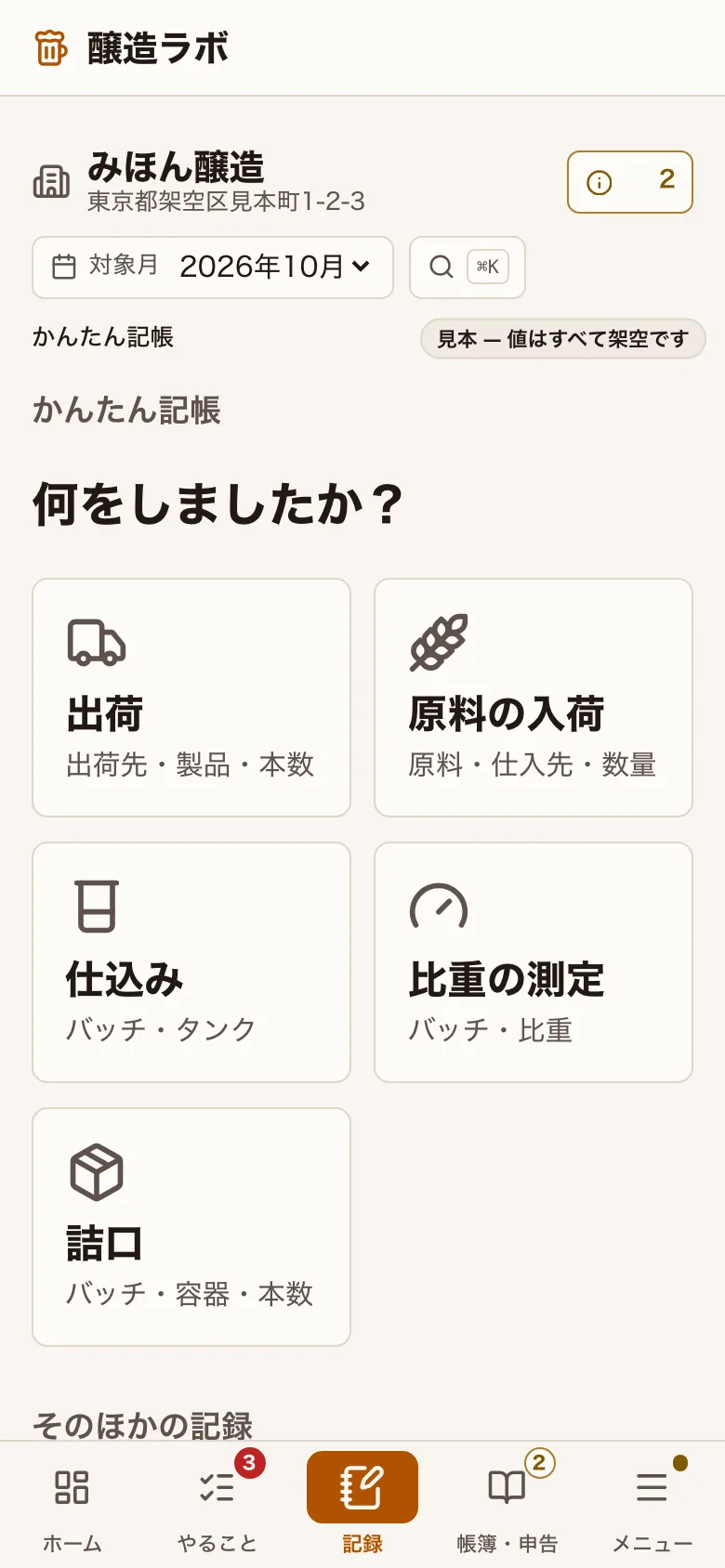
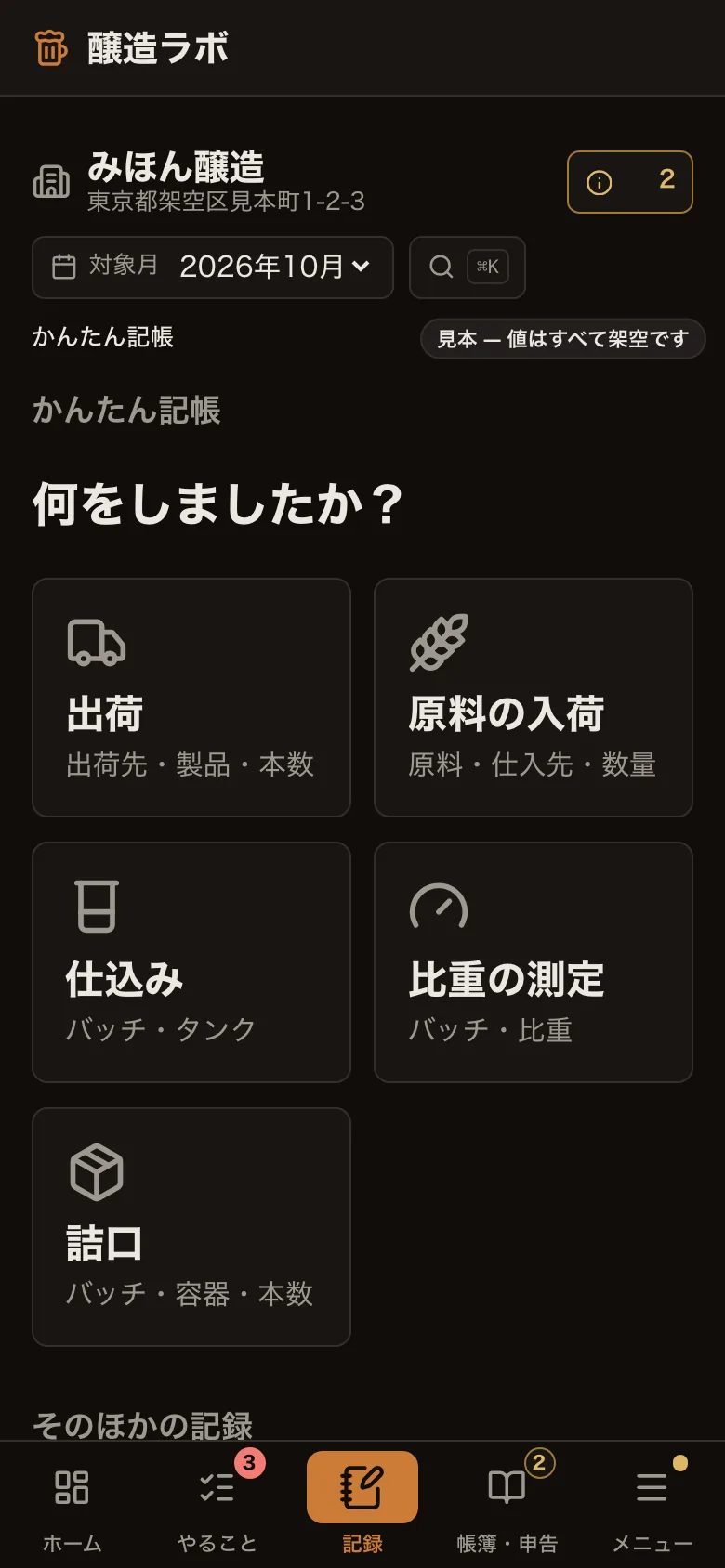
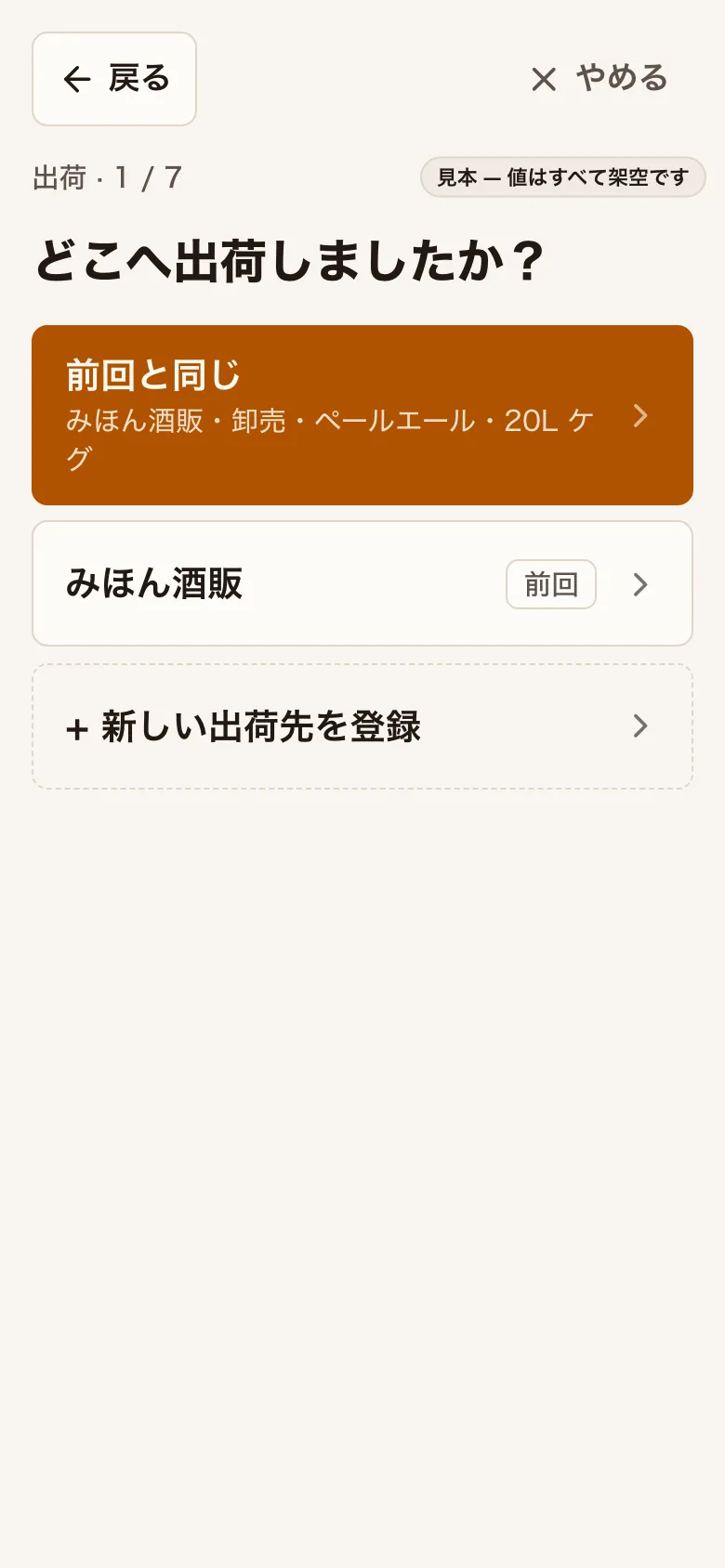

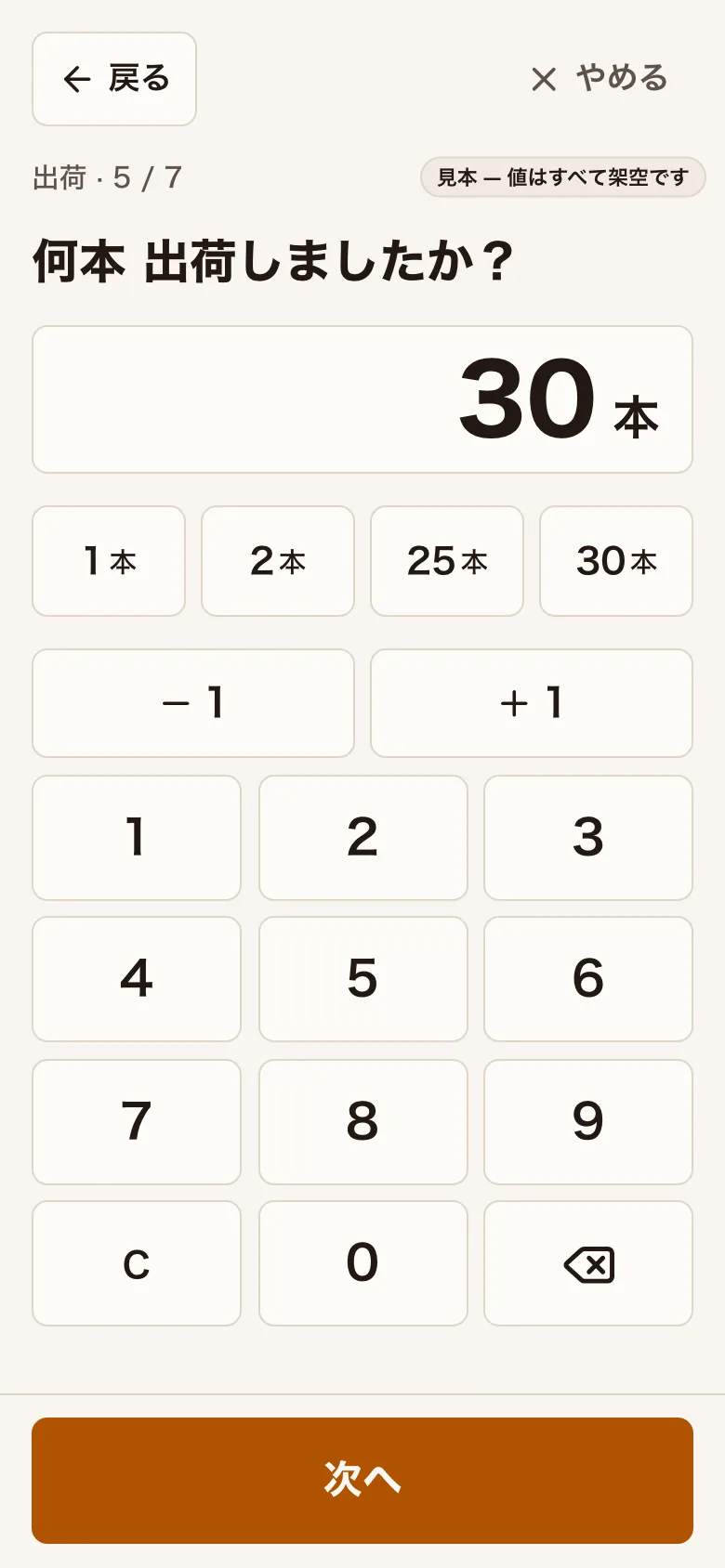
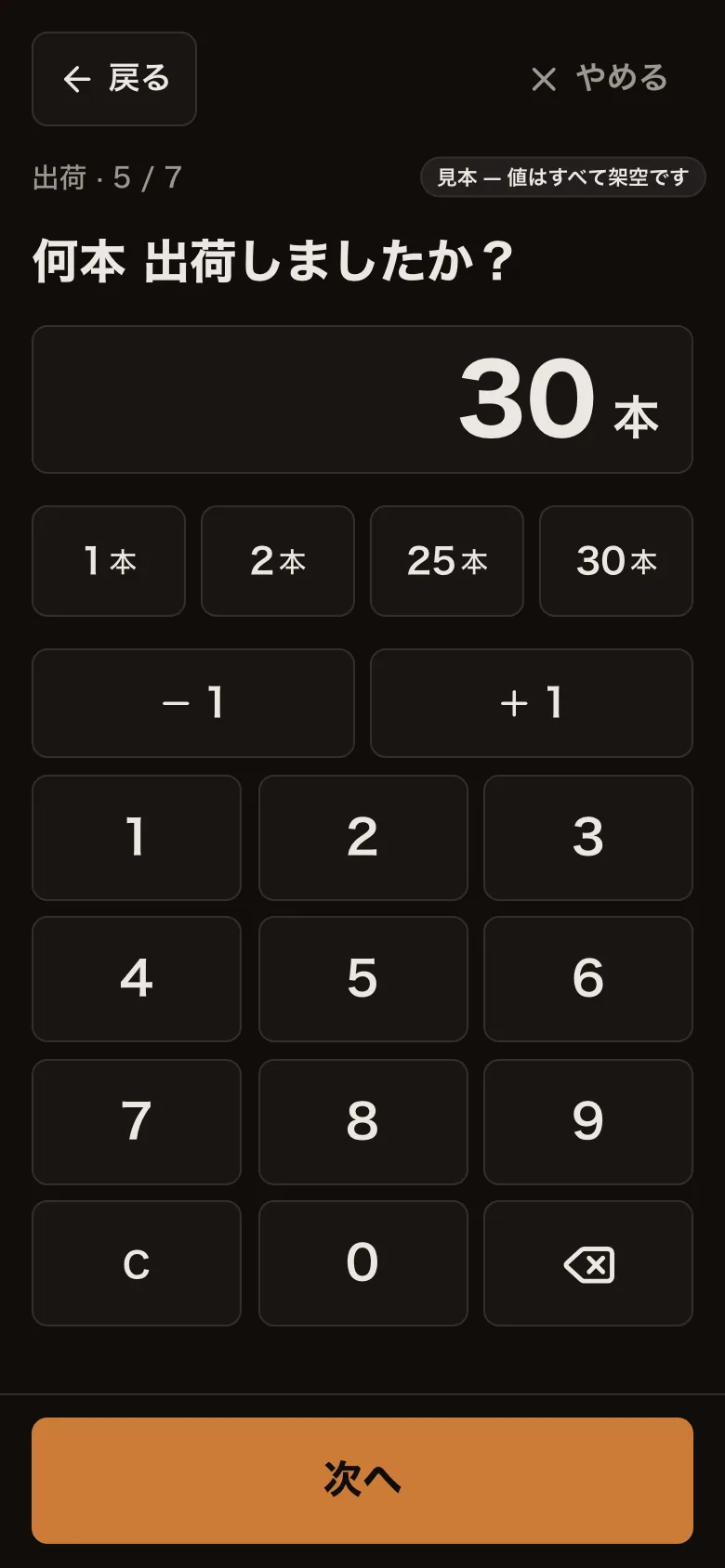
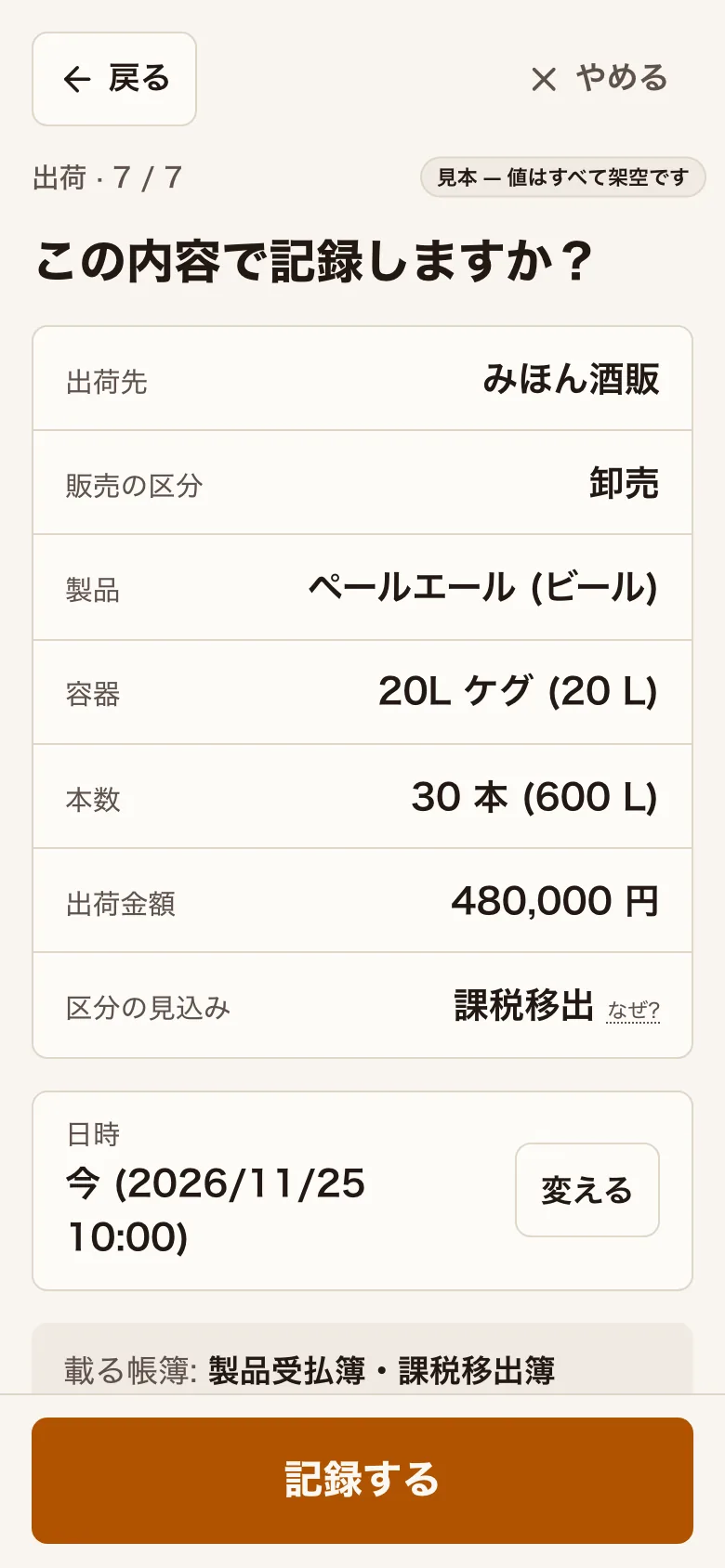
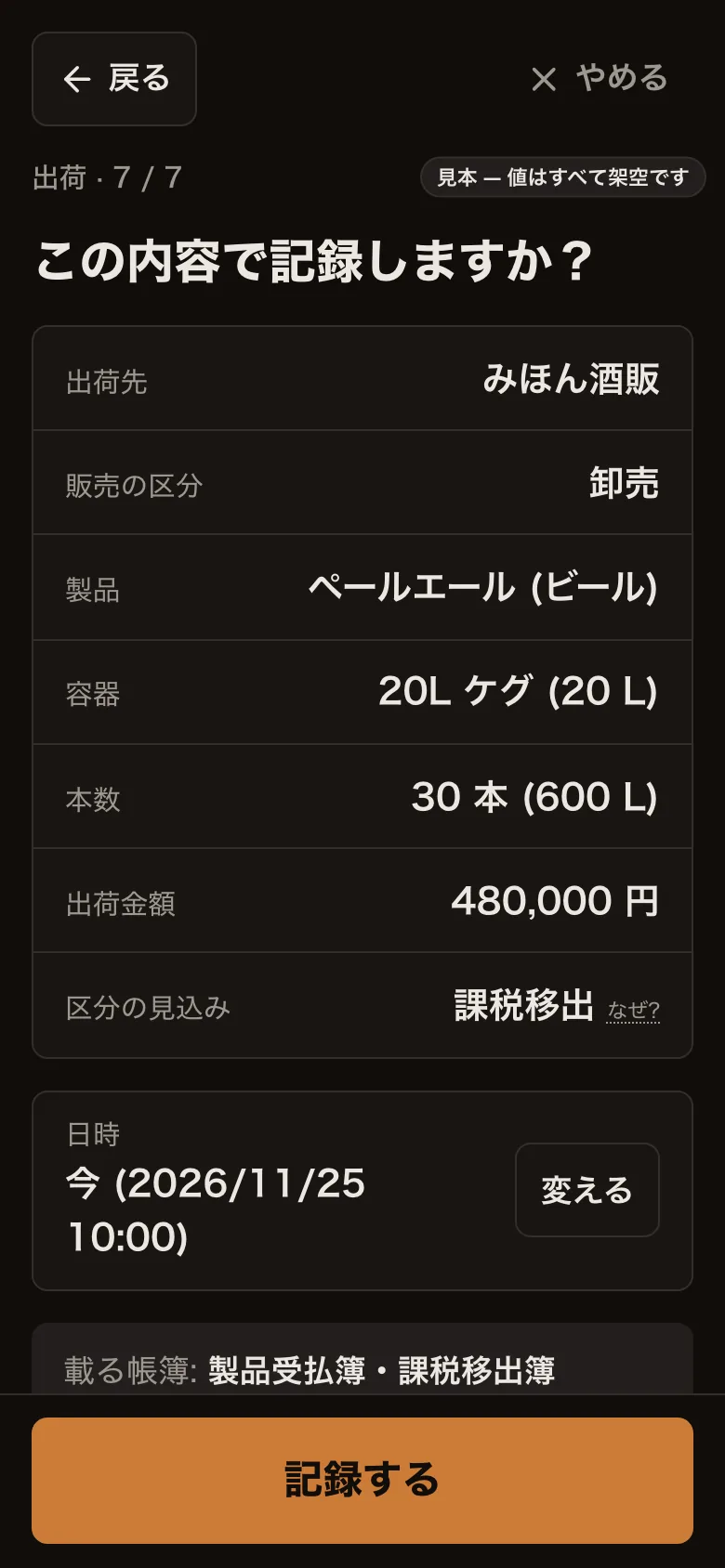
The screens show a shipment to the same customer as in October being entered for the fictitious brewery “Mihon Brewing” (taken at smartphone width; the screens are in Japanese; all values are fictitious). The amount was entered with the suggestion button (last unit price × count: ¥16,000 × 30). Tap a screenshot to open it full size.
Deadline notifications
As deadlines for to-dos such as the tax return and closing the books approach, Brew Master notifies the devices you register: from 7 days before, the day before, and on the day, around 8 a.m., bundled into one notification.
醸造ラボ8:00
みほん醸造
2026年10月分 酒税納税申告 (月次) ほか 5 件 — 期限まであと 7 日 (11/30)
A notification shows only the brewery name, the to-do names and the deadline date. It never includes tax amounts or quantities.
To receive them: Account settings → “Deadline notifications” (期限の通知) → “Receive on this device”.
Add to Home Screen
Add Brew Master to your smartphone’s home screen to open it from an icon, without the address bar.
- 1Open Brew Master in Safari on your iPhone
- 2Tap the Share button (a square with an upward arrow) and choose “Add to Home Screen”
- 3Open it from the home screen icon and sign in once
On iPhone and iPad, deadline notifications are received in Brew Master added to the home screen (iOS 16.4 or later). On Android you can add it from the Chrome menu; browsers on PCs and Android receive notifications without adding it.
There is no app on the App Store or Google Play. It is Brew Master in your browser, placed on your home screen.
Built for a brewery's monthly work
How the figures are checked
- Automated tests confirm on every change that the return's figures match the worked examples in the National Tax Agency's filing guide.
- Another test enters three months for two fictitious breweries through the screens and compares the ledgers, return, PDF and filing copy with hand-calculated values, on every change.
Even so, you remain the one who checks what you file. Brew Master totals your records and fills in the forms; it does not make tax judgments or give tax advice.
Pricing
Frequently asked questions
- What kind of return does it produce?
- A PDF made by filling in, by field name, the fillable PDF of the National Tax Agency's new forms (used from September 2026). You print it and file it on paper.
- Can I file through e-Tax?
- You can export the return as an e-Tax data file (.xtx) that the e-Tax software (web version) can load. It is created from a finalized return; you load it with "Use created data" (作成済みデータの利用) in the e-Tax software (web version), then sign and send it yourself (Brew Master does not send it). Register your e-Tax user ID in the brewery settings before exporting. For paper filing, you can still export the filled-in PDF forms.
- Does it replace a tax accountant?
- No. Brew Master totals your records and fills in the forms; it does not make tax judgments or give tax advice. If you ask a tax accountant to check, you can hand over the exported PDF and ledgers as they are.
- Which kinds of alcohol does it cover?
- Beer, happoshu and other brewed alcoholic beverages. Returns for sake, fruit wine, distilled spirits, liqueurs and others cannot be exported at the moment.
- How is my individual number (My Number) handled?
- Brew Master does not store the individual number of sole proprietors. You enter it only when exporting the PDF, or leave it blank and write it in by hand. Corporate numbers are stored.
- Where is my data stored?
- Records and attached files are stored in Google Cloud data centers in Japan (Tokyo and Osaka) and backed up daily. When you use the reading of attached documents, the image is sent to a provider in the United States to be read (see the Privacy Policy for details).
- What happens if I stop using it?
- Export all data as a zip, delete the brewery, then delete your account. While a brewery remains, the account cannot be deleted, so nothing is lost by accident.
- Can several people use it?
- For now, one brewery is used with one account. Staff or a tax accountant cannot open the same brewery with their own accounts.
- Does it work on a smartphone?
- Yes. Shipments, raw material receipts, brewing, gravity readings and packaging can be recorded with Record, a smartphone screen with large buttons. Other records (returns, disposals and so on), corrections, closing the books, finalizing returns and exporting the PDF or e-Tax data are designed for a PC screen.
- What happens after 6 months?
- After the free period, the price is ¥4,980 per brewery per month (excluding tax; ¥5,478 including tax). At least 30 days before the free period ends, we will send you an invitation to register a payment method, by email and in the app. If the invitation comes later than that, the free period is extended until 30 days after it. You are charged only if you register a payment method and sign up for the paid plan. If you do not sign up, you can still view your records, print your books, download the PDFs of finalized returns again and export all your data, and your data is kept until you delete the brewery.
- How do I receive deadline notifications?
- In Account settings, open “Deadline notifications” (期限の通知) and press “Receive on this device”; notifications then arrive on that device. For to-dos such as the tax return and closing the books, you get one bundled notification around 8 a.m. from 7 days before the deadline, the day before, and on the day. A notification shows only the brewery name, the to-do names and the deadline date, never tax amounts or quantities. On iPhone and iPad, they are received in Brew Master added to the home screen (iOS 16.4 or later). Notifications are a reminder; the full list of deadlines is in each brewery’s to-do list.
- Is there a smartphone app?
- There is no app on the App Store or Google Play. You can add Brew Master, which runs in your browser, to your smartphone’s home screen (on iPhone, “Add to Home Screen” from Safari’s Share button; on Android, from the Chrome menu). It then opens from the home screen icon without the address bar. On iPhone, sign in once in the copy opened from the home screen.
- We have not opened yet. Can we use it?
- The procedures before you start making liquor are listed in Procedures before opening a brewery (with links to the NTA forms and statutes). Brew Master does not prepare license applications (for how to fill them in, consult an administrative scrivener or the liquor guidance officer at your tax office). After you receive the manufacturing license, it builds the ledgers and the monthly return from your records.
The recipe tools stay as they are
Recipe calculations, quick calculators and the formula references for home and pilot brewing are free. Calculations open without signing in; saving recipes requires signing in.
Start by recording one month
Sign up with an email address or a Google account. Brewery management is free for 6 months from the day you start.